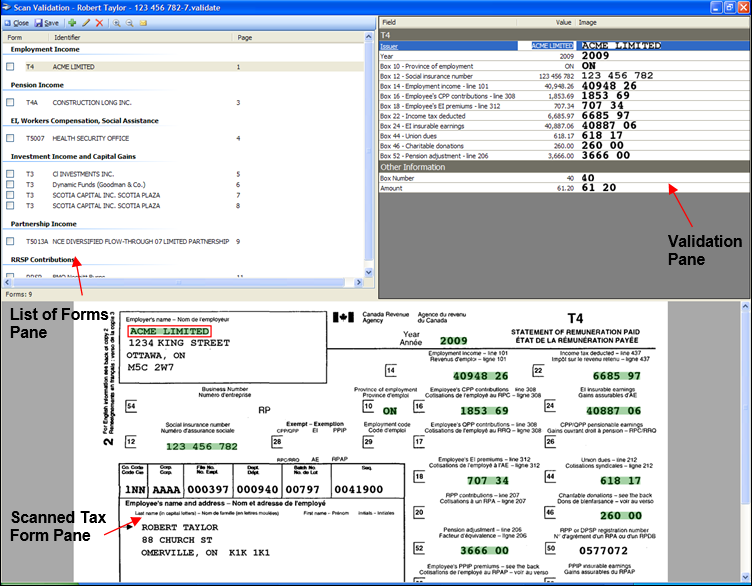
The Scan Validation window includes three panes.
 Tell me more about the information listed for the forms.Tell me more about the information listed for the forms.
To make the contents of the Scan Validation window easier to read, you can change the font, enlarge the contents of the panes, or modify the size of individual panes. For instructions on changing the way the Scan Validation window panes display, see Customizing the Validation Window for more information.
For more assistance, select Help > CCH Scan Help Topics, or contact us using the link below.
| Customer service and technical support |
 displays beside fields or forms in which